Recently, many users have found that the offline documentation downloaded from Example Tutorial opens as a blank page.
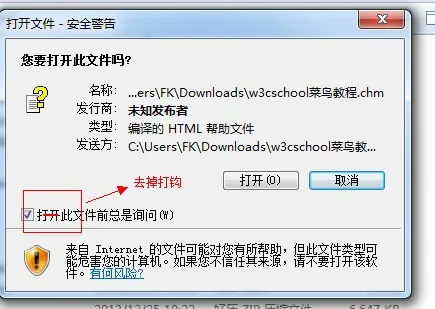
The solution is: when you open the CHM file, a security warning dialog will appear. You just need to uncheck the "Always ask before opening this file" option in the pop-up window, as shown in the figure below:
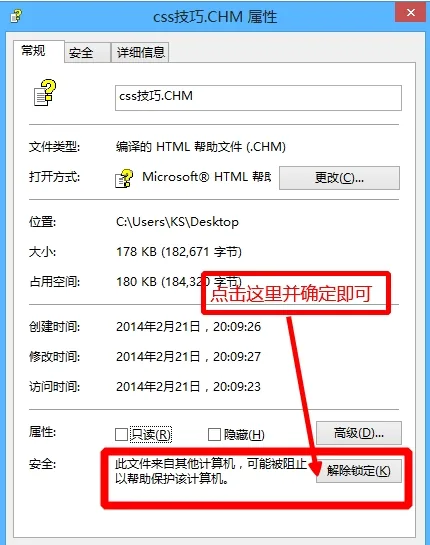
Alternatively, right-click on the file and selectProperties → UnblockThat's it.